 Docs
DocsGang Sheet Builder
Sell your own DTF and UV DTF sheet sizes and let customers build sheets that arrive ready to print.
Set it up
- 1
Open Settings > Customer Studio and switch on Gang Sheet Builder under Customer experiences.
- 2
Open Catalog > Pricing and find Sheet sizes & prices. Choose Add sheet size for each width and length you print, with its price.
- 3
Assign the sheet setup to the product that sells sheets.
- 4
Open that product page and confirm the button opens the sheet, not a product mockup.
Customer tools
- Sheet ruler, zoom and the real size of each design
- Artwork, uploads, text and background removal
- A quantity for each design
- Select all, group, align and layer
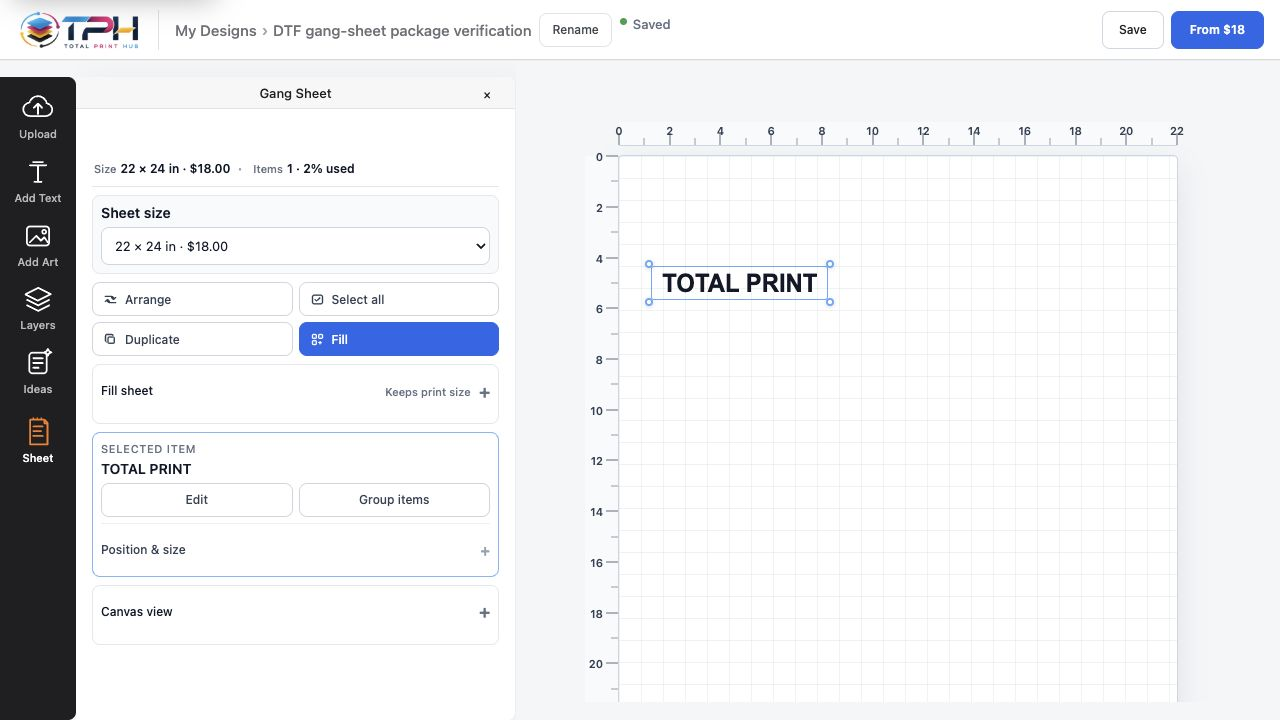
- Duplicate, auto-arrange and Fill sheet, with the gap shown
- Save, price, add to cart
Auto-arrange and Fill sheet
Auto-arrange places every copy on the sheet size the customer bought. It keeps 0.2 in between designs by default, turns a design by 90° when that fits more on the sheet, and handles up to 5,000 copies in one arrange.
Fill sheet uses the space that is left. The customer chooses the quantity and the gap first; if that quantity cannot fit, it is limited to the most that fits and the builder says so in one line.
Checks before the cart
A sheet cannot reach the cart with an empty layout, a design that sits off the sheet, or two designs that overlap. Each upload also gets a resolution verdict at the size it will print.
After the sheet is paid
The sheet becomes a job in Production with its print file made at print size from the layout the customer approved. Sheets and customized products share one queue and one Orders list.