 Docs
DocsConfigure print-method pricing
Price print work by your own rules, and check that the cart charges what the designer showed.
What a price can depend on
- Print area or side
- Print method
- Quantity tiers
- Print size or square inches
- Ink or thread colors, or stitches
- Garment size surcharges
- Setup, screen, transfer and other named fees
- Gang sheet size and quantity
- Names and numbers
Start simple
- 1
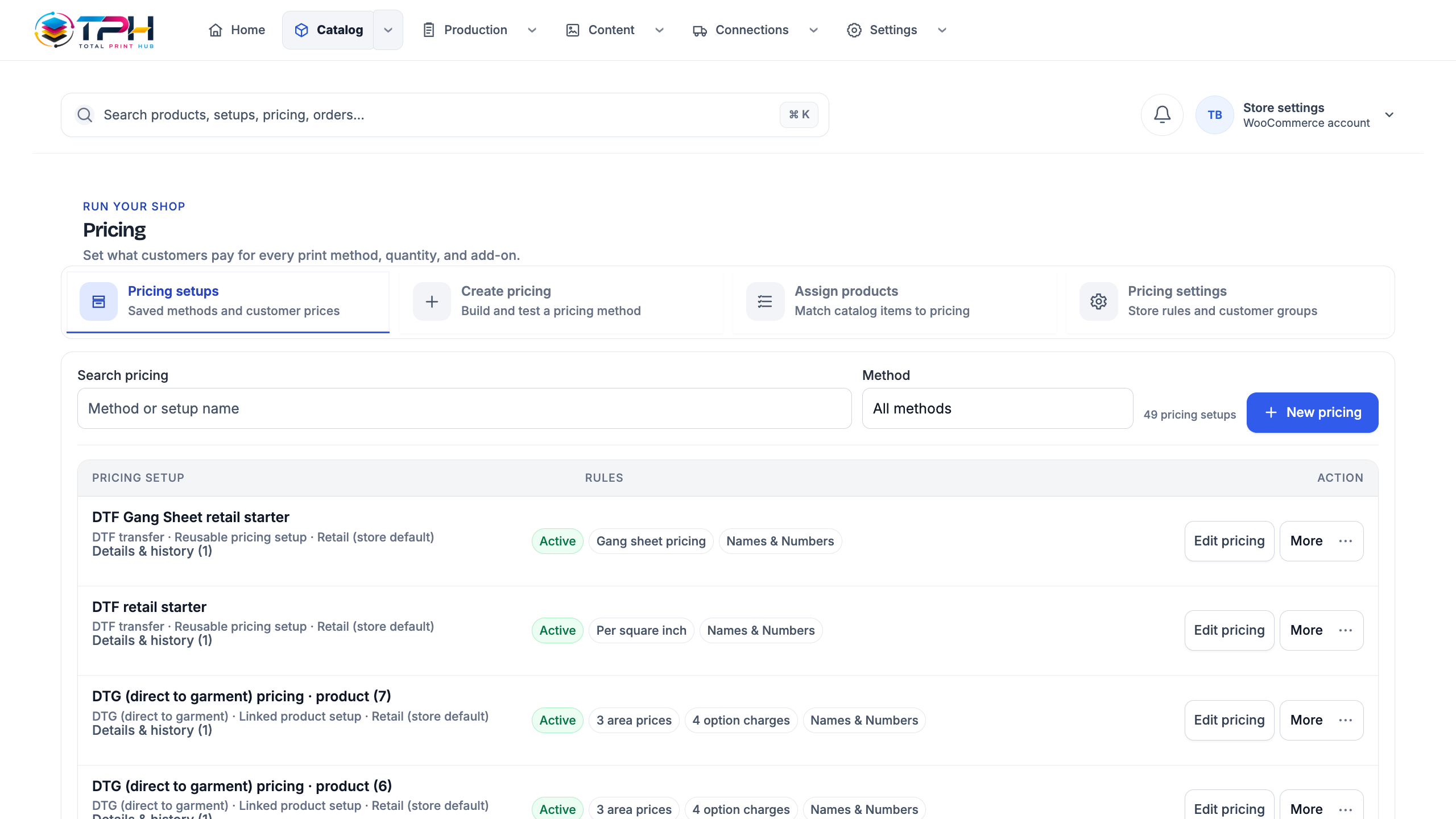
Open Catalog > Pricing. Pricing setups lists every saved setup.
- 2
Choose New pricing, or start from a prepared setup that matches your shop.
- 3
Choose the print method the product family uses.
- 4
Set the base price per print area and the quantity tiers.
- 5
Add only the extra charges your shop really makes.
- 6
Test the price with several quantities and product variants.
- 7
Save, then check the same total in the Studio and in your store's checkout.
One setup, many products
One pricing setup covers every product that uses it. Match products to a setup in Catalog > Pricing, so a new product in the same family is priced the day you add it.
The cart charges what the designer showed
The customer sees the price as they design, and the cart line carries the same price. Before launch, compare the Studio price, the cart, the checkout and the order for several quantities.